
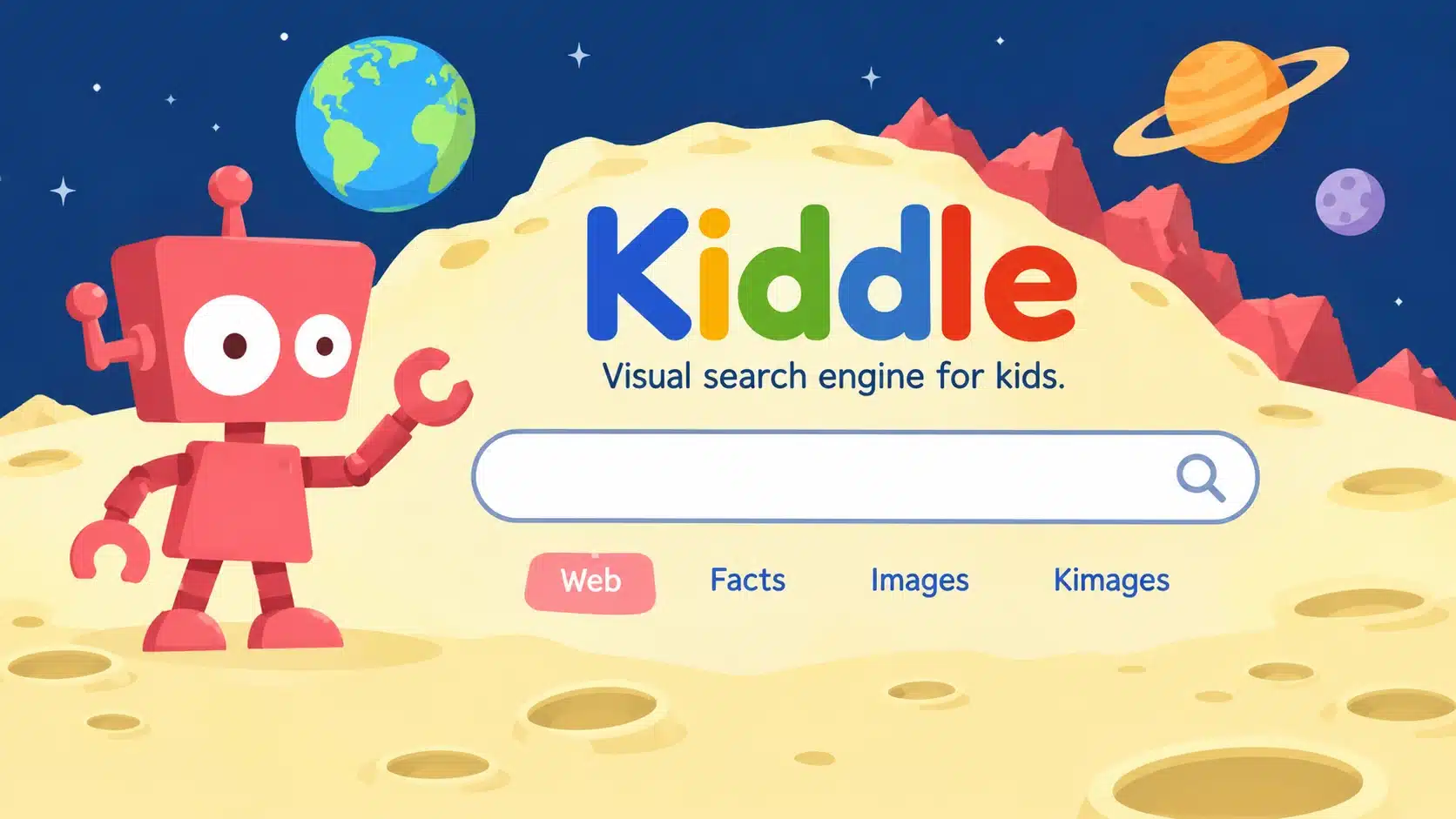

Kiddle is a visual search engine designed specifically for children. It aims to make online research easier through large thumbnails, readable text, child-focused search results and filtering features.
The website offers several ways to discover information, including Web search, Facts, Images and Kimages. It also uses a three-level approach to organise results, placing editor-reviewed child-focused pages before simpler trusted websites and other pages filtered through Google SafeSearch.
But is Kiddle actually a good search engine for children? How does its filtering work? Is it owned by Google? What information does it collect, and can parents rely on it to protect children from unsuitable content?
This detailed Kiddle review examines its features, search technology, advantages, disadvantages, privacy policy and practical uses for families and schools.
What Is Kiddle?
Kiddle is a visual search engine for children available at Kiddle.co.
Its main purpose is to provide a more accessible search experience for younger internet users. Instead of presenting a conventional list of links, the platform uses large thumbnails, prominent titles and descriptions to help children identify relevant information.
Kiddle describes itself as a child-focused search service that combines editor-reviewed pages, simpler trusted websites and Google SafeSearch filtering.
Its main sections include:
- Web: Search for websites and general information.
- Facts: Discover encyclopedia-style educational information through Kpedia.
- Images: Find pictures related to different subjects.
- Kimages: Explore image-focused search results.
- Español: Access its Spanish-language experience.
Kiddle can be useful for children researching school subjects, exploring hobbies or learning about unfamiliar topics.
However, it is important to understand that a child-friendly search engine is not the same as a complete parental-control system.
How Does Kiddle Search Work?
One of Kiddle’s most distinctive features is its three-level search-result arrangement.
Rather than treating every search result in exactly the same way, Kiddle describes different approaches for different positions in its results.
First Three Results: Websites Written for Children
The first three results are typically pages specifically written for children.
Kiddle says these websites and pages are handpicked and checked by its editors.
The purpose is to help younger users discover information presented in simpler language and an age-conscious format.
For example, a child searching for planets may encounter educational pages created specifically to explain astronomy to younger readers.
Results Four to Seven: Simpler, Trusted Websites
The next group generally contains trusted websites that were not necessarily created for children.
Kiddle says these pages are selected because their content is written in a relatively simple way that children can understand.
This allows children to explore a wider range of information without relying exclusively on websites designed for younger audiences.
Results Eight Onwards: Google SafeSearch Filtering
The later results can include websites written for adults that provide more specialised information.
Kiddle says these results are filtered through Google SafeSearch.
These pages are not necessarily individually handpicked by Kiddle editors.
This distinction is important because the filtering approach is not the same for every result position.
The three-level approach is designed to make searching easier, but it cannot guarantee that every result or external website will be appropriate for every child.
What Are the Main Features of Kiddle?
Kiddle combines a simplified search interface with several features designed to make online research more accessible.
1. Visual Web Search
The Web section provides the main search experience.
Children can enter a word, phrase or question and explore a list of relevant results.
Each result can include a title, description and thumbnail image.
The visual presentation helps younger users recognise subjects before deciding which page to open.
For example, searching for wildlife may display results related to animals, habitats and conservation.
2. Kpedia: Encyclopedia-Style Learning
Kpedia is associated with Kiddle’s Facts section.
It provides encyclopedia-style information covering different educational subjects.
Children can use it as a starting point for exploring:
- Science and nature
- Animals and wildlife
- Geography
- History
- Space and astronomy
- Famous people
- Technology
- Arts and culture
Kpedia can be useful when a child needs an introductory explanation of a topic.
However, children should still compare information with reliable educational sources when completing important school assignments.
3. Image Search
Kiddle includes an Images section for finding pictures related to a search query.
This can be helpful for children who are working on visual school projects or want to understand a topic through illustrations and photographs.
For example, a student researching the water cycle may find images showing evaporation, condensation and precipitation.
Parents and teachers should still review the images and their source websites before allowing children to use them in school projects.
The presence of an image in search results does not automatically mean it is accurate, age-appropriate or free to reuse.
4. Kimages
Kiddle also offers a section called Kimages.
It provides another way to explore visual content through the website.
This is useful when the search task is primarily about finding images rather than reading written explanations.
As with other image-search tools, children should learn to check the source, accuracy and permitted use of pictures.
5. Large Thumbnails
Kiddle places considerable emphasis on visual search results.
Its large thumbnails help children recognise the subject of a page before opening it.
This can be particularly helpful for younger users who are still developing their reading and online research skills.
Rather than relying entirely on long descriptions, children can use visual clues to compare results.
6. Large, Readable Text
The search interface uses large Arial text to improve readability.
This helps make the results easier to scan and understand.
A simplified presentation can be useful for younger children who may find conventional search pages crowded or difficult to navigate.
7. Keyword Blocking
Kiddle describes a system that blocks certain search terms considered inappropriate for children.
When a blocked term is entered, the website may display a message asking the user to try a different search.
This is intended to reduce access to certain categories of searches.
However, keyword blocking is not a complete substitute for content moderation or adult supervision.
8. Website Blocking Requests
Kiddle provides options for reporting websites that users believe should not appear in its search results.
This gives parents and educators a way to request that particular websites be reviewed.
It is a useful reporting mechanism, although it should not be confused with a personal parental-control dashboard that automatically restricts every website a child can access.
Is Kiddle Powered by Google?
Kiddle says that it uses Google SafeSearch as part of its search-result filtering.
However, Kiddle is not owned by Google and is not affiliated with Google LLC.
This distinction matters because some users assume that every search engine using Google technology is an official Google product.
Kiddle operates its own child-focused website and describes an additional approach involving editor-reviewed results, simpler content and SafeSearch filtering.
Google provides the SafeSearch technology used for part of the filtering process.
Therefore, the accurate description is that Kiddle is a separate child-focused search service that uses Google SafeSearch, not Google’s official children’s search engine.
Is Kiddle Safe for Children?
Kiddle is designed to provide a more child-oriented search experience than unrestricted general search.
Its editor-reviewed results, keyword blocking, visual layout and SafeSearch filtering are intended to reduce exposure to unsuitable content.
However, no search engine can guarantee that every result, image or external destination will be appropriate.
Parents should understand both its strengths and its limitations. Parents who want to evaluate websites beyond search-engine filtering can also read our guide on how to check if a website is safe or legitimate. It explains how to examine website addresses, ownership information, privacy policies and potential security warning signs.
How Kiddle Helps Reduce Exposure to Unsuitable Content
Kiddle describes several measures designed to improve the search experience:
- Editor-reviewed child-focused results.
- Selected trusted pages written in simpler language.
- Google SafeSearch filtering for later results.
- Blocking of certain inappropriate search terms.
- Options for reporting websites and keywords.
These features provide additional filtering compared with unrestricted search.
Why Parental Supervision Is Still Necessary
A search engine does not control every website a child may visit after clicking a result.
External websites can have their own advertisements, privacy policies, interactive features and content.
A page that appears in a search result may also change after it has been reviewed or indexed.
Children should be encouraged to ask a parent or teacher for help when they encounter an unfamiliar or uncomfortable result.
Can Unsuitable Content Still Appear?
Yes. Independent reviews have noted that filtering is not perfect and that some potentially disturbing images or less relevant results may still appear.
This is an important limitation to understand before making Kiddle the only search tool a child uses.
Parents should review the service themselves and combine it with suitable device and browser restrictions.
Kiddle Advantages and Disadvantages
Kiddle has several useful features, but it also has limitations that parents and teachers should consider.
| Advantages | Disadvantages |
|---|---|
| Designed specifically for children | Filtering cannot guarantee complete safety |
| Large thumbnails make results easier to scan | Some unsuitable images may still appear |
| Editor-reviewed child-focused results | Search results may sometimes be less relevant |
| Uses Google SafeSearch for later results | External websites have separate privacy policies |
| Includes the Kpedia Facts section | Not a complete parental-control solution |
| Offers image-search sections | Parents still need to review external destinations |
| Basic search does not require registration | Search filtering can occasionally be restrictive |
| Offers options for reporting websites | Does not replace digital-literacy education |
Advantages Explained
The strongest advantage is Kiddle’s child-oriented presentation.
Its large thumbnails, readable text and editor-reviewed results can make searching less intimidating for younger users.
The Facts section also provides a useful starting point for educational research.
Another advantage is that basic searching does not require children to create an account.
Disadvantages Explained
The main limitation is that filtering is not perfect.
Some images or search results may still be unsuitable, and children can encounter external websites with different content and privacy practices.
Some searches may also return results that are not closely related to the exact question.
This means Kiddle is better treated as a helpful starting point rather than a complete online safety solution.
Does Kiddle Collect Personal Information?
Privacy is particularly important when choosing an online search service for children.
Kiddle’s published privacy information states that users do not need to register to use the search service.
Its About page also states that it does not collect personally identifiable information and that its logs are deleted every 24 hours.
However, parents should read the full privacy policy rather than interpreting these statements as a guarantee that no information is processed.
No Registration Required
Kiddle’s basic search experience does not require children to create an account.
This means users do not need to provide a name, email address or password simply to search for information.
Not requiring registration can reduce the amount of personal information a child needs to submit.
Server Logs and Website Statistics
Kiddle states that its logs are deleted every 24 hours.
Its website also describes the use of aggregate information for evaluating website visits and performance.
These are statements made by Kiddle. They should not be presented as the result of an independent technical audit.
Cookies and Advertising Partners
Parents should also consider the website’s published privacy and advertising information.
The privacy terms available for a website should be reviewed to understand how cookies, analytics and advertising partners may be involved.
The important distinction is that a statement about not collecting personally identifiable information does not necessarily mean that a website uses no cookies or third-party services.
External Website Privacy
Kiddle does not operate every website displayed in its search results.
When a child clicks an external result, that website may collect information under its own privacy policy.
Parents should therefore review the privacy practices of external websites before allowing children to use them regularly.
Who Made Kiddle?
Kiddle presents itself as a separate search service with an editorial team responsible for its child-focused search experience.
Its public website provides information about the service, its search approach, parents and educators, editors and privacy.
However, the available public information does not establish a clearly identified individual founder or a detailed ownership history.
It would therefore be inaccurate to attribute Kiddle to a particular person or describe it as a Google-owned product without reliable evidence.
What its official website does establish is that Kiddle uses Google SafeSearch while stating that it is not affiliated with Google LLC.
Why Does Kiddle Use a .co Domain Instead of .com?
Kiddle uses the domain extension .co.
According to its official About page, the letters represent “children only”, reflecting the website’s focus and vision.
This is the explanation provided by Kiddle itself.
The domain extension does not mean that the service is owned by Google or operated by a government education department.
The official website address is:
Parents should check the spelling of the domain before using it, particularly when children are searching for the website independently.
Is Kiddle Free to Use?
Kiddle’s basic search interface is publicly accessible without requiring a paid subscription or user registration.
Visitors can use its main search sections to explore websites, facts and images.
However, free access does not automatically mean that a website has no advertising, analytics or third-party services.
Parents should review the current privacy information and website policies to understand how the service operates.
How to Use Kiddle for School Research
Kiddle can be a useful starting point for children researching school subjects, general knowledge and educational projects.
The visual interface can make it easier to discover relevant material.
Here is a practical way to use it.
Step 1: Open the Official Website
Visit:
Check that the address is spelled correctly.
Step 2: Select the Search Section
Choose the section that matches the research task:
- Web for general information.
- Facts for encyclopedia-style material.
- Images for pictures and visual references.
- Kimages for image-focused discovery.
Step 3: Enter a Specific Question
Use a clear search phrase instead of a broad or confusing term.
Examples include:
- How do plants make food?
- What are the planets in the solar system?
- Why do volcanoes erupt?
- What do bees do?
- How does the water cycle work?
Specific questions can make it easier to identify useful information.
Step 4: Review the Search Results
Read the titles and descriptions before opening a page.
Encourage children to compare more than one result when researching an important topic.
Step 5: Check the Original Source
Look at the publisher, author or organisation behind the information.
For school assignments, recognised educational institutions, museums, universities and scientific organisations can provide useful reference material.
Step 6: Write Notes in Their Own Words
Children should understand the information rather than simply copying paragraphs.
Encourage them to explain what they learned in their own words and record the sources they used.
Kiddle vs Google SafeSearch
Kiddle and Google SafeSearch are related but different services.
Google SafeSearch is a filtering feature that helps reduce explicit content in Google Search results.
Kiddle is a separate search website that combines its own result-selection approach with Google SafeSearch filtering.
| Feature | Kiddle | Google with SafeSearch |
|---|---|---|
| Main audience | Children | General users |
| Visual layout | Large thumbnails and readable text | Standard Google search layout |
| Editor-reviewed results | Described for earlier result groups | Does not use Kiddle’s same editorial process |
| SafeSearch | Used for later result groups | User-configurable filtering |
| Encyclopedia section | Facts/Kpedia | Results can link to encyclopedias |
| Image search | Images and Kimages | Google Images |
| Keyword blocking | Kiddle describes a blocking system | Google has its own filtering controls |
| Basic search registration | Not required | Depends on the wider Google experience |
| Ownership | Separate Kiddle service |
Neither approach guarantees that every external website a child encounters is suitable.
Best Alternatives to Kiddle for Children’s Online Research
Kiddle is not the only option for parents and educators looking for child-focused search tools.
The best choice depends on the child’s age, reading ability, educational requirements and the level of parental control needed.
1. KidzSearch
KidzSearch is a child-focused search platform offering search and educational resources.
It is an alternative for families who want another search environment designed for younger users.
Parents should review its current filtering approach, features and privacy policy before making it a regular part of a child’s browsing routine.
Official website: https://www.kidzsearch.com/
2. Safe Search Kids
Safe Search Kids provides search-related tools intended to help children explore online information with additional filtering.
It offers web and image-related search features.
Families should check its current services and privacy information before relying on it for children’s regular online research.
Official website: https://www.safesearchkids.com/
3. Swiggle
Swiggle is a child-focused search service associated with educational resources.
Its search approach emphasises educational topics and content intended for younger users.
It may be useful for school-related research, although its current availability and features should be checked before use.
Official website: https://swiggle.org.uk/
4. Google SafeSearch
Google SafeSearch is a filtering option within Google Search.
It helps reduce exposure to explicit results while allowing users to access the wider Google search experience.
Parents can combine it with supervised accounts and website restrictions.
Official website: https://www.google.com/safesearch/
5. Microsoft Bing SafeSearch
Bing includes SafeSearch settings that can filter explicit search results.
Microsoft also provides family-safety and browser features that parents can use to manage children’s online activity.
This may be useful for families already using Microsoft devices and services.
Official website: https://www.bing.com/
Kiddle for Parents and Teachers: Practical Recommendations
Kiddle can be a useful starting point for children’s online research, but its effectiveness depends on how it is used.
Parents and teachers should combine the search service with practical digital-literacy habits.
Recommendations for Parents
- Bookmark the official Kiddle website.
- Explain why children should not click unfamiliar links.
- Encourage them to ask before downloading files.
- Review external websites opened from search results.
- Discuss online privacy and personal information.
- Use device-level parental controls where appropriate.
- Check image results before allowing children to use them in projects.
Recommendations for Teachers
- Use specific search questions for classroom research.
- Encourage students to compare more than one source.
- Explain how to identify a website’s publisher.
- Teach students to distinguish facts from opinions.
- Encourage children to write answers in their own words.
- Review the suitability of websites before assigning them.
The goal should not simply be to find filtered search results. It should be to help children learn how to search, evaluate and understand online information responsibly.
Frequently Asked Questions About Kiddle
What is Kiddle?
Kiddle is a visual search engine designed for children. It organises results using editor-reviewed child-focused pages, simpler trusted websites and Google SafeSearch filtering.
Is Kiddle owned by Google?
No. Kiddle says it uses Google SafeSearch but is not affiliated with Google LLC.
Is Kiddle safe for children?
Kiddle is designed to reduce exposure to unsuitable content through filtering and editor-reviewed results. However, no search engine guarantees complete safety, and parents should supervise children’s online activity.
How does Kiddle work?
Kiddle describes three main result groups: typically the first three are child-focused pages checked by editors, results four to seven are simpler trusted pages, and later results are filtered through Google SafeSearch.
Is Kiddle free?
Its public search service is available without requiring a paid subscription or registration for basic searches.
Does Kiddle have an app?
Its main search experience is available through its website. A dedicated mobile application is not required to use the basic search service.
Does Kiddle collect personal information?
Kiddle’s published information says it does not collect personally identifiable information and does not require registration. Parents should also review its privacy policy and any information about cookies, advertising and external services.
What is Kpedia?
Kpedia is the encyclopedia-style Facts section associated with Kiddle. It provides educational information that children can explore during online research.
Why does Kiddle use .co?
Kiddle says its .co domain reflects its child-focused vision, with the letters representing “children only”.
Who made Kiddle?
Kiddle identifies itself as a separate service with an editorial team. Its public About page does not establish a clearly identified individual founder or detailed ownership history.
Is Kiddle better than Google for children?
Kiddle offers a more visually organised, child-focused search experience. Google with SafeSearch provides a different filtering approach. The best choice depends on the child’s age, needs and level of parental supervision.
Can children use Kiddle for homework?
Yes. Its Web and Facts sections can help children discover information for school research. Students should still check original sources and compare information before using it in assignments.
Final Thoughts
Kiddle offers a child-focused way to explore online information through visual search results, editor-reviewed pages and Google SafeSearch filtering.
Its three-level result arrangement is one of its most distinctive features. It prioritises pages written specifically for children, includes simpler trusted information and uses SafeSearch for later results.
The Facts, Images and Kimages sections also make it useful for discovering educational material and visual references.
However, Kiddle should not be treated as a complete parental-control solution. Its filtering has limitations, external websites have their own privacy and content practices, and parents should understand the website’s published privacy information.
For families and schools, the best approach is to use Kiddle alongside adult supervision, suitable device controls and digital-literacy education.
Editorial Note: FlixHQ is an independent informational website. It does not own, operate or represent Kiddle. This article explains Kiddle’s publicly described features, privacy approach and suitability considerations for parents, teachers and children.